Welcome to Henry Wagner's World

For over two decades, this digital space has been a labor of love—a personal collection of passions, travels, and creative pursuits that span music, photography, and the moments that make life extraordinary.

Music & U2 Archive

What began as one of the early U2 fan sites on the web has grown into a comprehensive archive celebrating one of rock's most enduring bands. From MIDI collections and concert photography to behind-the-scenes moments from the ZooTV and PopMart tours, you'll find a curated journey through U2's musical legacy. Whether you're seeking rare photos, concert memories, or simply want to connect with fellow fans, this collection represents years of dedication to documenting the band's impact.

Photography & Travel

Beyond the music, these pages showcase photographic explorations from around the world. From the stark beauty of California's desert landscapes—including the iconic Joshua Tree—to the vibrant streets of New York City, each gallery captures moments of discovery and wonder. The photography section features everything from infrared experiments to travel documentation, reflecting a curiosity about the world and the stories it tells.

A Personal Journey

This site isn't just an archive—it's a reflection of one person's journey through the digital age, maintaining an authentic corner of the internet where passion projects still thrive. In an era of social media and fleeting content, henrywagner.org remains a testament to the enduring value of personal websites: spaces where interests can be explored deeply, collections can be preserved thoughtfully, and connections can be made meaningfully.

Whether you've stumbled upon this site searching for U2 memorabilia, seeking travel inspiration, or simply exploring the web's hidden corners, welcome. Take your time, explore the galleries, and enjoy this curated collection of experiences and enthusiasms.

Electrician Revives Lost MIDI Music Collections

Many people who grew up with early digital music tools find themselves with collections of MIDI files that seem inaccessible today due to outdated hardware and software.

Why MIDI Files Still Matter

MIDI technology emerged in the early 1980s as a way for electronic instruments to communicate with computers and each other. Files created during that era often contain unique compositions that reflect the creative experiments of hobbyists and professionals alike. These sequences capture nuances in timing and expression that later formats sometimes overlook.

Collectors value them for their historical context and the raw creative process they represent. Over time, though, many of these files became difficult to access. Floppy disks degraded, old sequencers lost power supplies, and operating systems moved on without backward compatibility. Recovery begins with understanding the file structure itself. Standard MIDI files store note data, tempo information, and controller messages in a compact binary format. Modern software can read these once the physical media is stabilized or transferred.

What Gets in the Way

Hardware failure tops the list of obstacles. Synthesizers and drum machines from the 1980s and 1990s relied on internal batteries to retain memory. When those batteries leaked or died, patches and sequences vanished. External storage devices introduced additional risks, including magnetic degradation and connector corrosion. Software obsolescence compounds the problem, as proprietary formats from early programs resist conversion without specialized tools.

Another frequent issue involves corrupted timing data. Early MIDI implementations sometimes recorded at nonstandard resolutions, leading to playback that feels rushed or sluggish on contemporary systems. Systematic testing with multiple players helps isolate these quirks.

Archivists recommend starting with free utilities that analyze file headers before attempting full restoration.

Electrical Factors in Data Longevity

Stable power delivery plays a quiet but decisive role in preserving digital music archives. Voltage fluctuations can scramble data during transfer or even damage the read heads on aging drives.

Home studios often accumulate layers of adapters and extension cords that create ground loops or insufficient amperage. These conditions increase the chance of sudden shutdowns that interrupt file writes. Proper circuit design prevents many of these interruptions. Dedicated lines for sensitive equipment reduce interference from household appliances. Surge protection at the panel level adds another layer of defense. When planning upgrades, homeowners benefit from consulting experienced electricians who understand the specific demands of audio workstations.

Specialists from Fulmer Electric can evaluate existing wiring and recommend configurations that support consistent operation of vintage gear alongside modern computers.

Bringing the Files Back

Begin by cataloging what you have. List each disk, cartridge, or hard drive along with any notes about the original hardware. Photograph labels and connectors before handling. Next, create bit-for-bit images of readable media using write-blocked devices to avoid accidental changes.

Transfer the images to a modern computer and test them with several MIDI players. Tools that support multiple formats often reveal timing or controller issues that a single program might miss. When files refuse to load, examine them in a hex editor for recognizable headers. Repair utilities can sometimes reconstruct missing chunks if the damage is limited.

Physical restoration of instruments comes next for those who want to hear the music through original voices. Capacitor replacement and battery removal form the core of most service routines. Technicians also clean contacts and recalibrate potentiometers that have drifted over decades.

Organizing and Future-Proofing Your Collection

Once files are recovered, organize them with clear naming conventions and metadata. Include original tempo, key signatures, and any associated patch lists. Store master copies on multiple media types and verify integrity annually with checksum comparisons.

Consider converting sequences into more universal formats while retaining the originals. This dual approach preserves authenticity while improving compatibility with current production software. Regular backups to cloud services or external drives further reduce risk.
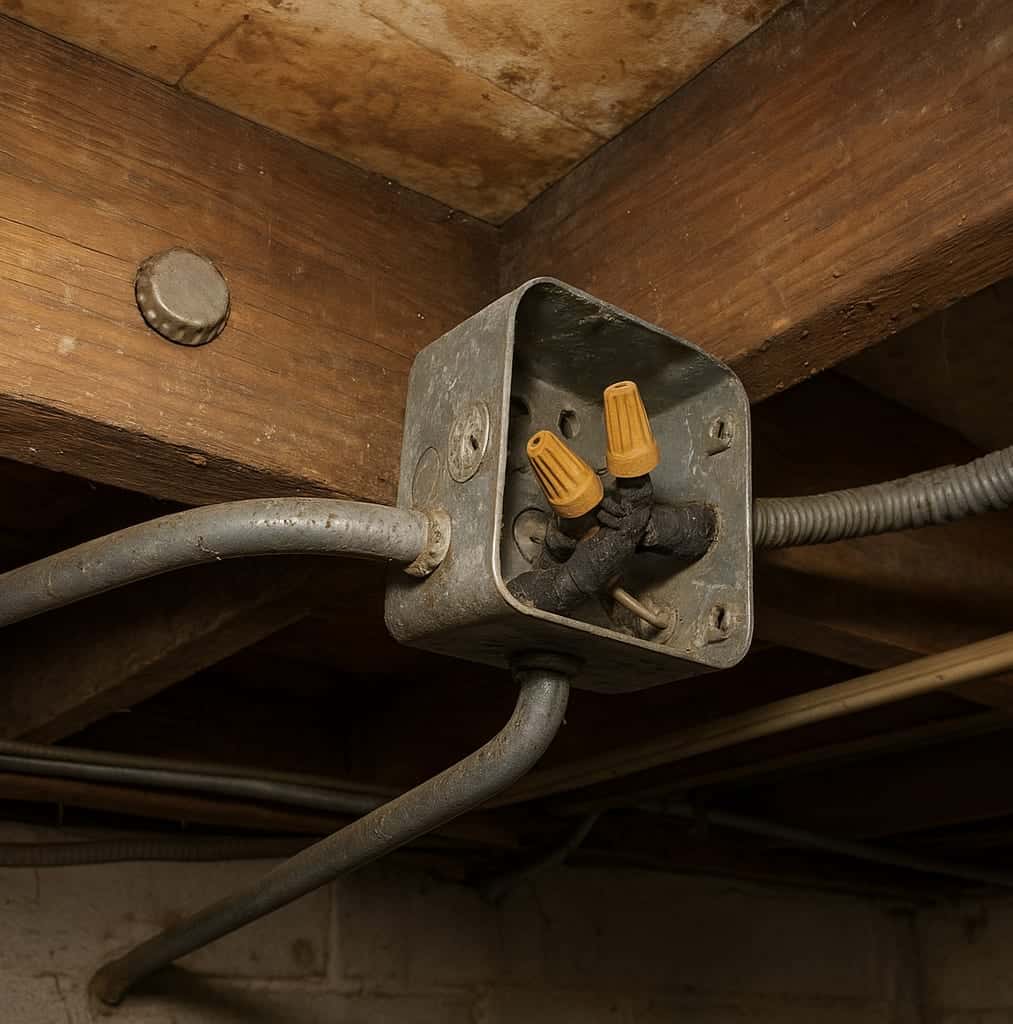
music electrician history

Knowing When Professional Help Adds Value

Complex electrical upgrades or stubborn hardware repairs often exceed the scope of DIY efforts. Certified technicians bring diagnostic equipment and experience with legacy systems that hobbyists rarely possess. They can also advise on ANSI code-compliant solutions that protect both equipment and users.

Taking time to assess your setup before problems arise saves both data and money.
Essential Techniques for Concert Photography

Concert photography in small venues often means dealing with changing lights and limited space. A practical approach starts with gear that can handle those conditions without adding bulk or drawing attention during a set.

Selecting Gear for Stage Work

Many photographers begin with a camera body that performs well at higher ISO settings. Full frame sensors tend to produce less noise when light is scarce, though crop sensor models can work if the settings stay reasonable. A lens with a maximum aperture of f/2.8 or wider lets more light reach the sensor, which helps when the stage lights dim between songs. Prime lenses in the 50mm or 85mm range often give sharp results at those openings and keep the kit compact enough to move through a crowd.

A monopod can steady the camera during longer sets without the setup time a tripod requires. Extra batteries matter because cold venues drain power faster than expected. Some shooters carry a backup body with a different focal length already mounted so they can switch quickly without fumbling in the dark.

Handling Exposure and Color Balance

Stage lights shift from warm reds to cool blues without warning. Manual exposure mode gives more consistent results than automatic programs. Start with a shutter speed around 1/200 second, open the aperture to its widest setting, and raise ISO until the meter shows proper exposure on the performer. Check the histogram after a few frames because bright spotlights can clip highlights even when the camera meter looks fine.

White balance can be set to a custom value by aiming at a neutral surface under the current lights or by using the Kelvin scale if the camera allows it. Mixed lighting from different fixtures often leaves a color cast that is hard to remove later, so getting the balance close in camera saves time. Some photographers bracket a few frames at slightly different white balance values during the first song to see what works best for that particular rig.

Freezing Action Without Blur

Performers move quickly, and even a slight blur can soften an otherwise good frame. Raising the shutter speed to 1/250 or 1/320 second usually stops most motion, though faster action may need 1/500. When the shutter speed climbs, ISO must rise as well, and noise becomes more visible. A lens that opens to f/2 or f/1.4 buys back some of that light without pushing ISO as high.

Burst mode helps capture the peak moment in a jump or guitar swing. Focus on the eyes or the microphone when possible, because stage depth can fool autofocus systems. If the lights drop suddenly, many shooters accept a bit of motion blur on background elements while keeping the main subject sharp, since complete stillness is rare under concert conditions anyway.

Refining Shots After the Show

Raw files give the most latitude for adjustments. Begin by correcting overall exposure and recovering any clipped highlights from bright lights. Contrast often needs a small boost to separate the subject from the dark surroundings, but too much can make skin tones look harsh.

Noise reduction works best when applied selectively rather than across the whole image. Sharpening should follow noise reduction so edges stay clean. Cropping can improve composition when the original frame includes unwanted gear or audience members at the edges. Color adjustments at this stage can remove remaining casts from mixed stage lighting, though results vary with the original file quality and the lights used that night.

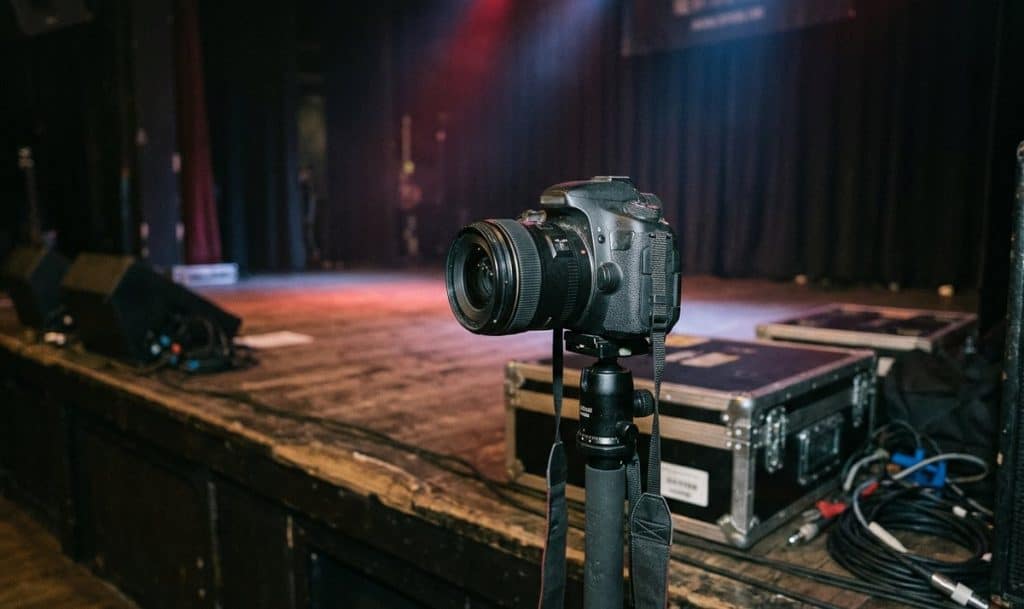
camera monopod stage colored lights

A short list of common adjustments includes:
– Lowering highlights to protect bright spots
– Lifting shadows to reveal detail without flattening contrast
– Fine tuning saturation on individual color channels rather than the whole image

These steps remain useful across different venues because each show brings its own lighting setup and movement patterns. Practice with the same camera and lens combination builds familiarity with how far settings can be pushed before quality drops noticeably.

Roof Repair Basics Connected to U2’s Iconic Imagery and Archives

Roof repair involves understanding how a structure protects everything beneath it, much like the enduring symbols in U2’s stage designs and visual archives that have shielded their artistic legacy across decades.

Connecting Everyday Protection to Artistic Foundations

U2’s imagery often draws from themes of elevation and resilience, seen in album covers and live performances that evoke vast landscapes and steadfast presence. These visuals parallel the basic role of a roof, which stands as the first line of defense against weather and time. Just as the band’s archives preserve moments of creative strength, a well-maintained roof preserves the integrity of a building from the top down.

Early attention to small issues prevents larger problems, similar to how U2 refined their sound through careful review of past recordings. Homeowners benefit from learning core principles that apply across different roofing systems, whether asphalt, metal, or tile.

Shawnee County Roofing Services offers guidance on these fundamentals for anyone seeking reliable upkeep.

What signs of wear should you watch for?

Visual cues in U2’s work, such as shifting lights and layered projections, highlight how subtle changes can signal deeper shifts. On a roof, this translates to spotting cracked shingles, pooled water, or loose flashing. These indicators often appear after seasons of exposure, and catching them mirrors the way fans revisit early footage to trace the band’s evolution.

Regular checks from ground level or with binoculars can reveal missing granules or sagging areas. Ignoring these details risks water intrusion that affects insulation and interior surfaces, much like unresolved creative tensions that could impact a performance.

u2 elevation roofing

Tools for Basic Assessment

– Binoculars for distant inspection without climbing
– Flashlight to examine attic spaces for moisture stains
– Notebook to record observations over time

These steps build awareness without requiring advanced skills.

Repair Techniques Grounded in Prevention

Fixing leaks often starts with targeted sealing around vents and chimneys. Replacing individual damaged sections maintains overall coverage without full overhaul. When issues stem from poor drainage, adding diverters or clearing debris restores flow.

Professional assessment determines whether patching suffices or if broader work is warranted. This decision process reflects how the band evaluates setlists, keeping core elements while updating others for fresh impact.

– Clear debris and assess the affected zone
– Apply compatible sealant or patch material
– Verify integration with surrounding surfaces
– Test for water resistance after completion

Documentation of work performed creates a record for future reference.

Long-Term Strategies and Professional Input

Ongoing care includes annual reviews and prompt response to storms. Energy efficiency improves when roofs include proper insulation layers, reducing heating and cooling demands. These practices align with the sustained career of artists who revisit and refresh their catalog over time.

When major concerns arise, consulting specialists ensures techniques match the specific system in place. Their expertise covers code compliance from the National Association of Home Builders and warranty preservation, delivering outcomes that last.

The History and Uses of MIDI Files in Modern Music Production

MIDI stands for Musical Instrument Digital Interface. It is a way for electronic instruments and computers to send messages about notes, timing, and controls instead of actual sound waves. A musician can press a key on a keyboard and that action turns into data that another device reads and plays. This setup keeps file sizes small because no audio is stored, only instructions like which note sounded and how hard it was pressed.

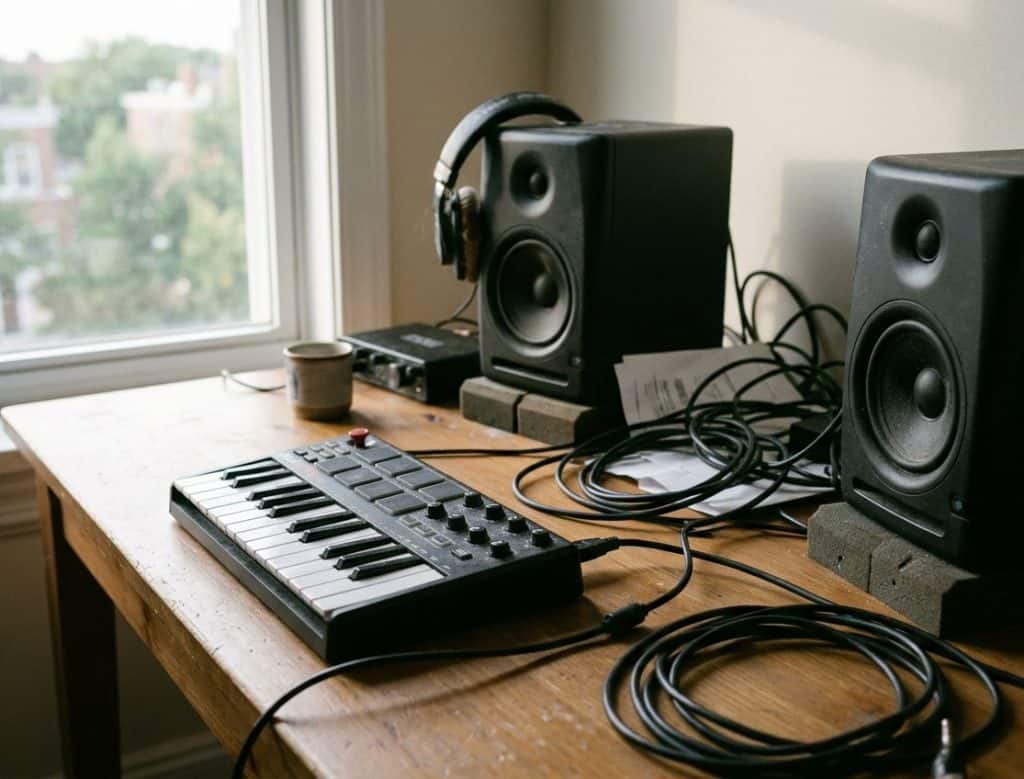
midi controller on desk

Early on, different brands of synthesizers could not talk to each other. Each company used its own system. That changed when engineers from several manufacturers met and agreed on a common language. By the middle of the 1980s the first MIDI specification was in use. Keyboards from one maker could now trigger sounds on another. Song files could move between machines without losing the basic performance data.

Key steps in the spread of MIDI

The original standard grew over time. A later addition called General MIDI set a list of 128 instrument sounds so that a file would play roughly the same on any compatible device. That helped hobbyists share sequences without worrying about completely different timbres. Later updates added more channels, finer control over expression, and ways to handle larger numbers of notes at once. None of these changes replaced the core idea; they simply gave more room for detail.

Musicians adopted the format quickly because it solved real problems. A drummer could program a beat once and reuse it in several songs. A guitarist could record a simple melody line and then edit single notes without rerecording the whole take. These practical gains kept the protocol alive even as recording moved from tape to hard drives.

Everyday uses in recording sessions

In a home studio a MIDI controller often serves as the main input device. The player records the timing and velocity of each note. Later the same data can trigger different sounds, change the tempo, or correct small timing errors. Because the data stays separate from the audio, the producer can swap a piano patch for a string section without touching the performance itself.

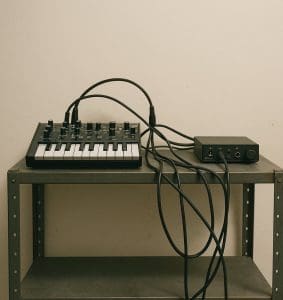
synth module in rack

Live performers use the same principle. A keyboard player can carry one lightweight controller and call up different sounds from a rack or laptop. Foot pedals send program changes or volume messages. When a song needs a sudden shift in texture, one button press can load a new set of patches across several devices at the same time.

Some bands still combine MIDI with traditional audio. A bass player might run a direct signal while also sending note data to a synth module that doubles the line an octave higher. The result stays tight because both signals start from the same physical performance.

Current software that handles MIDI

Most digital audio workstations read and write MIDI files as a matter of course. The files act as a common exchange format between programs. A sequence started in one application can move to another for further editing or mixing. This flexibility matters when collaborators use different tools.

Inside these programs the MIDI data appears on a grid or piano roll. Each row stands for a pitch and each column for a moment in time. The user can drag notes, change lengths, or adjust velocity values one by one. Many programs also let the same data control virtual instruments that load on demand, so the computer itself becomes the sound source.

A short list of common tasks shows how the workflow stays consistent across programs:

– Recording a performance from a controller
– Editing individual notes after the fact
– Sending program changes to external hardware
– Exporting the finished sequence for use elsewhere

People still rely on MIDI because the basic messages remain useful decades after the first standard appeared. The format does not produce the final sound, yet it gives clear instructions that many different machines and programs can follow. That practical reliability explains why the protocol continues to appear in new hardware and software even as audio quality and computing power keep increasing.

Behind the Music: Pest Control Challenges at Concert Venues and Recording Studios

The music industry creates magic through sound, but behind every great performance and recording session lies an often-overlooked challenge: pest control. Concert venues and recording studios face unique pest management issues that can disrupt operations, damage expensive equipment, and even threaten the health and safety of performers and audiences alike.

Why Music Venues Are Particularly Vulnerable

Concert halls, theaters, and entertainment venues provide ideal conditions for pest infestations. Large crowds mean plenty of food debris, spilled drinks, and organic matter that attracts rodents and insects. The combination of dark corners, storage areas packed with equipment cases, and irregular cleaning schedules between events creates perfect hiding spots for unwanted visitors.

music venue commercial pest services

Rodents are especially problematic in these environments. They’re drawn to the warmth of electrical equipment and have been known to chew through valuable cables, causing thousands of dollars in damage. I’ve heard stories of venue managers discovering mouse nests inside speaker cabinets and rats gnawing through power cords just hours before a major show.

Recording Studios Face Their Own Battles

Recording studios present different but equally serious pest challenges. These spaces require absolute silence and pristine conditions to capture perfect audio. Even the slightest scratching sound from mice in the walls can ruin an expensive recording session.

The soundproofing materials used in studios—foam panels, insulation, and acoustic treatments—can actually provide cozy nesting materials for rodents. Cockroaches are another concern in studios, particularly those located in older buildings or urban areas. These pests can contaminate food in break rooms and leave droppings on equipment. Beyond the obvious health concerns, the presence of any pest creates an unprofessional atmosphere that can damage a studio’s reputation with high-profile clients.

Common Pests in Music Environments

Rodents top the list of concerns. Mice and rats are attracted to the food waste left by crowds and crew members. They can squeeze through surprisingly small openings and establish colonies quickly if left unchecked.

Cockroaches thrive in the warm, dark spaces found in both venues and studios. They’re particularly common in facilities with food service areas or kitchens.

Ants follow food trails and can appear seemingly overnight, especially during warmer months when outdoor colonies seek indoor resources.

Flies and gnats become problematic in venues with poor waste management or inadequate ventilation systems.

The Impact on Operations and Reputation

A pest sighting during a concert or recording session can have serious consequences. Audience members who spot rodents or insects are likely to share their experience on social media, potentially damaging the venue’s reputation for years. For recording studios, word of a pest problem can spread quickly through industry networks, leading to lost bookings and revenue.

Equipment damage is another costly concern. Rodents don’t discriminate between a standard cable and a vintage microphone cord worth thousands of dollars. The acidic nature of pest droppings can also corrode sensitive electronic components over time.

Professional Pest Management Solutions

Effective pest management in the music industry requires a proactive approach. Regular inspections help identify potential problems before they escalate. Proper sanitation protocols, especially after events, remove the food sources that attract pests in the first place.

Sealing entry points is critical. Even small gaps around doors, windows, and utility lines can provide access for determined pests. Working with experienced professionals like Fenn Pest Control ensures that treatment plans address the specific challenges of entertainment venues without disrupting operations or using methods that could damage sensitive equipment.

The best strategy combines prevention with regular professional service. Staff training on proper food storage and waste disposal makes a significant difference. But you can’t do it alone—partnering with certified pest control professionals who understand the unique needs of entertainment facilities gives you the expertise necessary to maintain a safe, pest-free environment for performers and audiences alike.